Create rich notes with tasks, transcribe meetings in real time, chat or talk by voice with your notes and attached files, open a smart dashboard, and connect Google Calendar — without leaving your Mac.
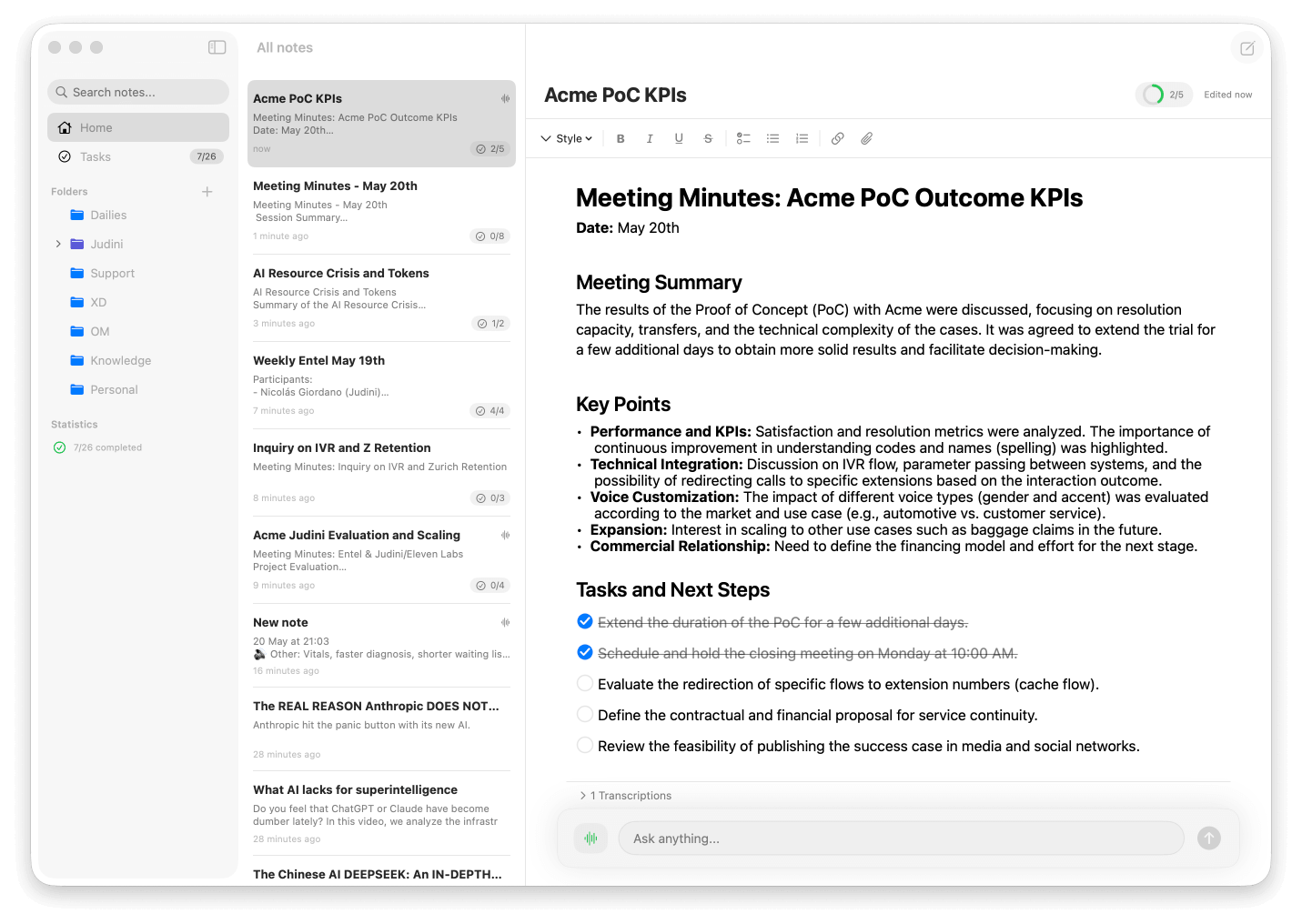
One Mac app: Notes, tasks & transcriptions, powered by AI
Rich notes with tasks
Beautiful notes with headings, markdown, checklists, and attachments.
Task Management
Track tasks across notes, with optional priority and due dates — sorted automatically.
Files as context
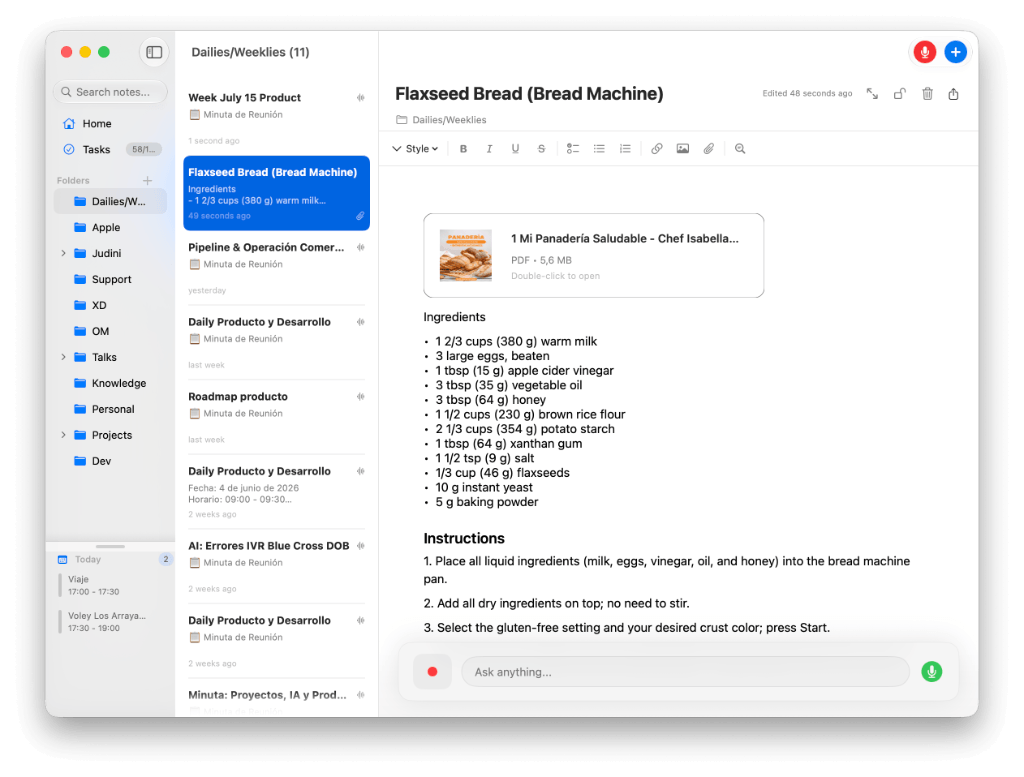
Attach PDFs, images and documents — stored locally and usable as AI context.
Import & capture
Bring in existing files and documents; their text becomes part of your notes.
Smart Dashboard
Home screen with widgets: stats, calendar, tasks, shortcuts — reorderable.
YouTube Links
Paste a YouTube link and get the video transcript as context for AI chat.
Local & Private
Notes and transcriptions stay on your Mac. No meeting bots in your calls.
Calendar-linked Notes
Today's meetings in the sidebar. One click opens or creates a dedicated note per event.
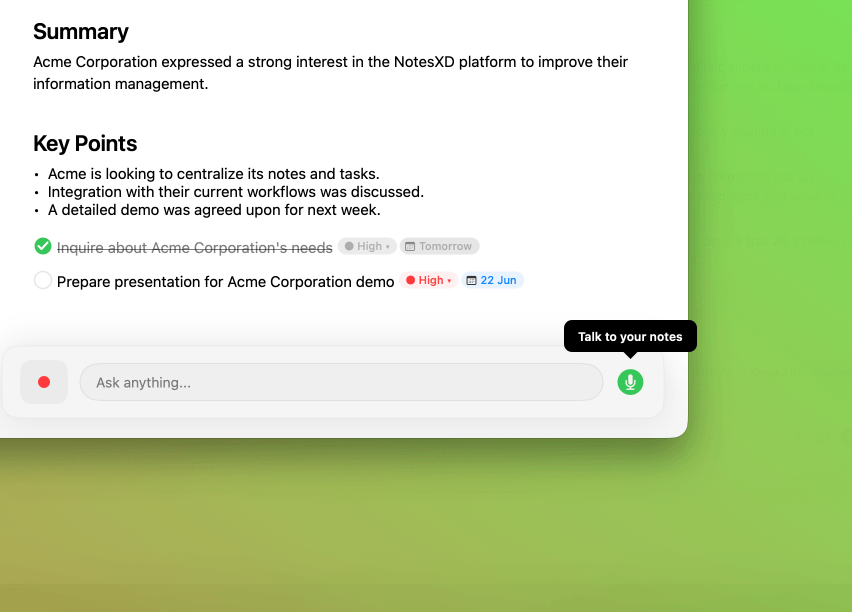
Talk to your notes
Hands-free voice conversation that can answer and take actions, transcribed into your chat.
Smart conversation detection
Automatically detects conversations and suggests taking notes.
Active Listening
Keep a continuous, searchable log of conversations — then ask what happened by meeting or time.
Real-time Transcription
Captures microphone and system audio simultaneously, transcribed locally on your Mac.
Always-on AI Chat
Persistent chat with session history. Ask about one note or your whole folder — edit only when you ask.
Keep the thread.
Find it later.
Turn on Active Listening when you want a continuous record. NotesXD keeps microphone and system audio separate in a local timeline, so the conversation remains readable without being tied to a single note.
- A local timeline with timestamps and separate microphone and system-audio entries
- Calendar markers for the start and end of scheduled meetings while listening is on
- Filter past entries by an exact time range or search a completed meeting, then ask the chat about that scope
- Select meaningful fragments and create a note from them when you are ready to act
Let’s define the next step before we close.
I’ll send the proposal and confirm the date today.
How it works
Connect & open Home
Connect Google Calendar. Your dashboard shows today's meetings, tasks, and recent notes.
Capture the meeting
Transcribe in real time or click a calendar event to open a dedicated meeting note instantly.
Ask, summarize & act
Use the always-on AI chat — query a note or whole folder, or let AI edit only when you ask.
Every word,
captured automatically
NotesXD transcribes both sides of the conversation — your microphone and system audio — so you never miss a word. Just focus on the meeting.
- Dual audio capture: microphone + system
- Microphone and system audio labeled separately
- Timestamped turns for easy navigation
Always-on chat.
Folder or note context.
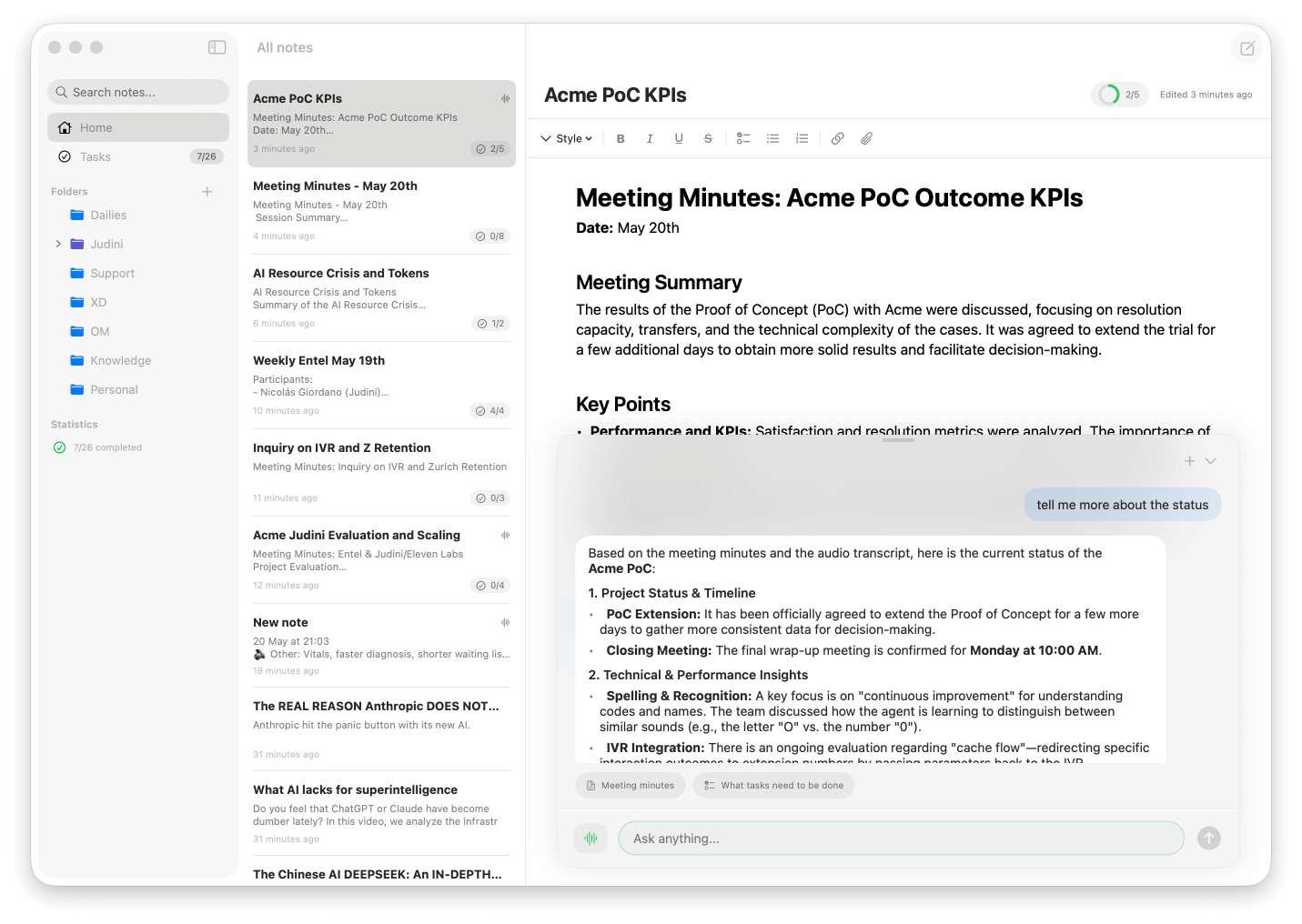
The AI chat stays visible everywhere. Summarize a folder without editing notes, or explicitly ask to modify content. Session history auto-names conversations so you can pick up where you left off.
- Chat history with auto-named sessions
- Active note vs. active folder context
- Google Calendar context (read-only)
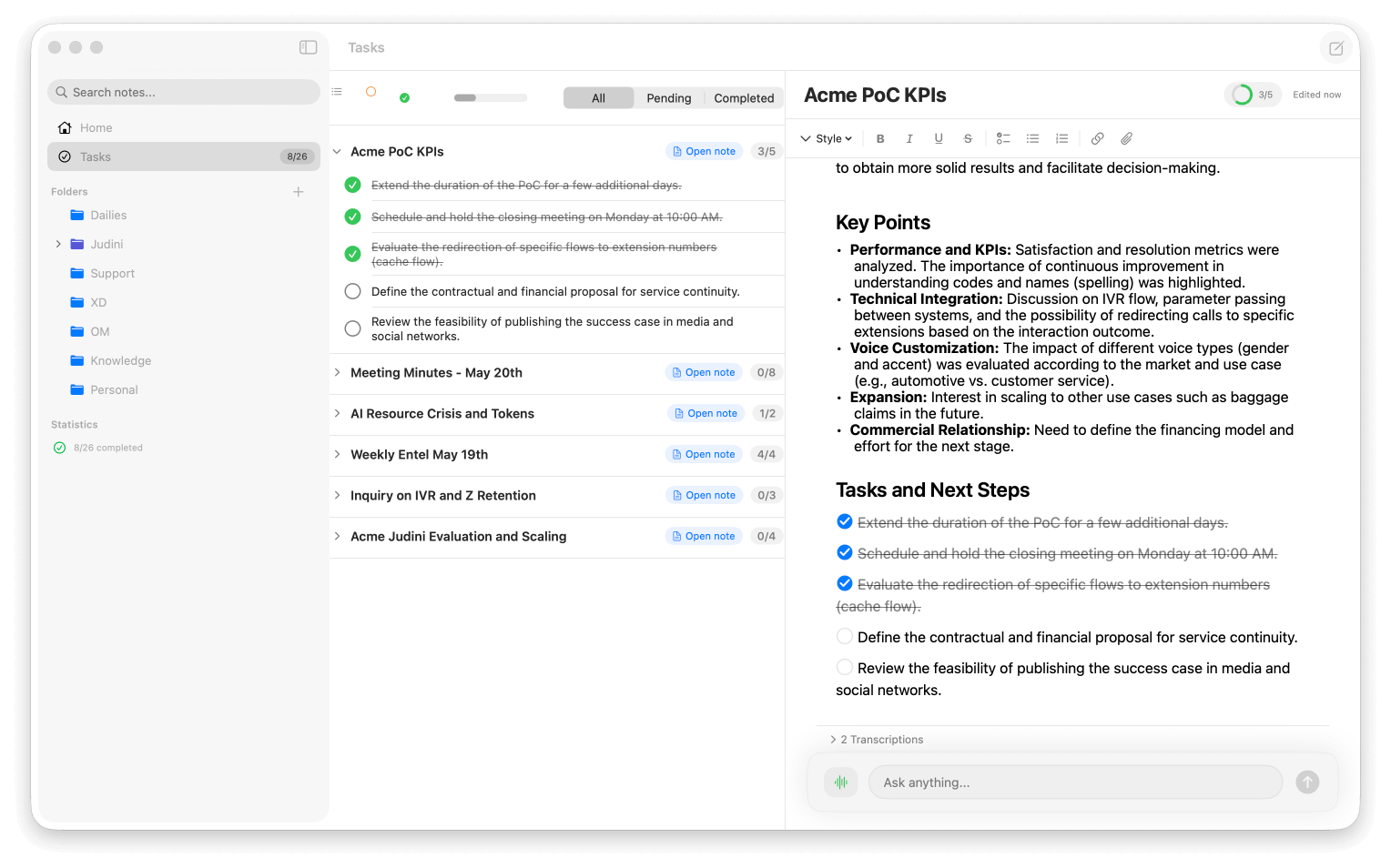
Turn conversations
into clear next steps
Every meeting generates tasks. Add an optional priority and a due date right from the note or the editor, and NotesXD keeps them sorted and tracked across all your notes — so nothing falls through the cracks.
- Optional priority & due date per task
- Auto-sorted by priority and date
- Unified view across every note, filter by status
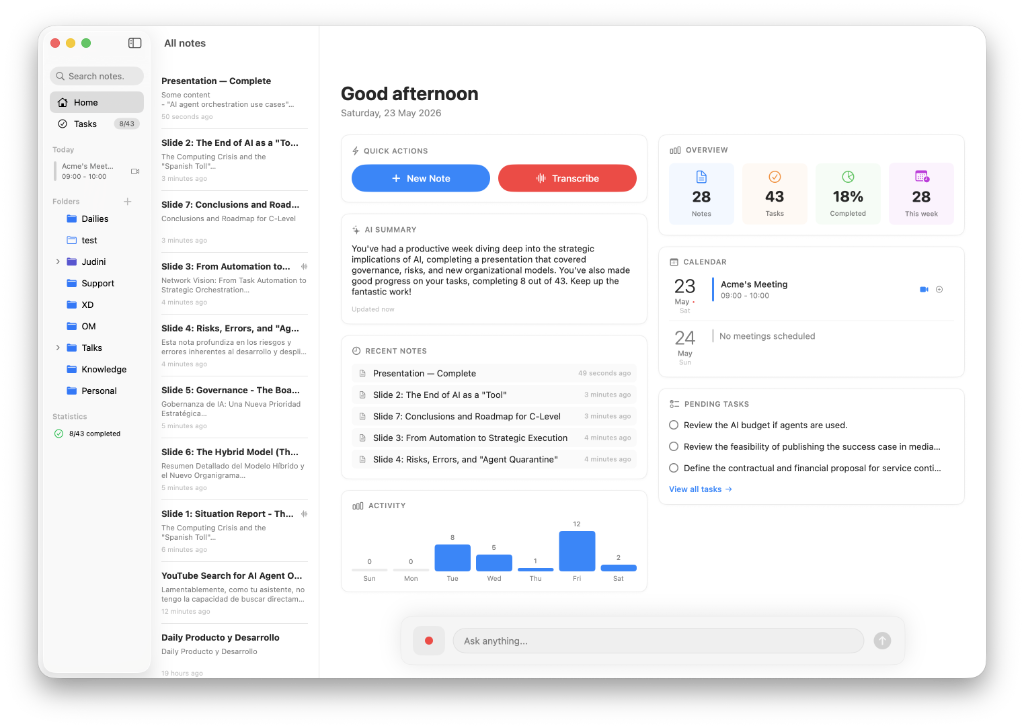
Your command center
when you open Home
A home screen with reorderable widgets: stats, today's calendar, pending tasks, recent notes, quick shortcuts, and Google connect prompts — all without losing the chat bar.
- Masonry widget grid with drag & drop
- Calendar widget: today & tomorrow's events
- Metrics, tasks, and quick actions at a glance
Video transcripts
ready for AI
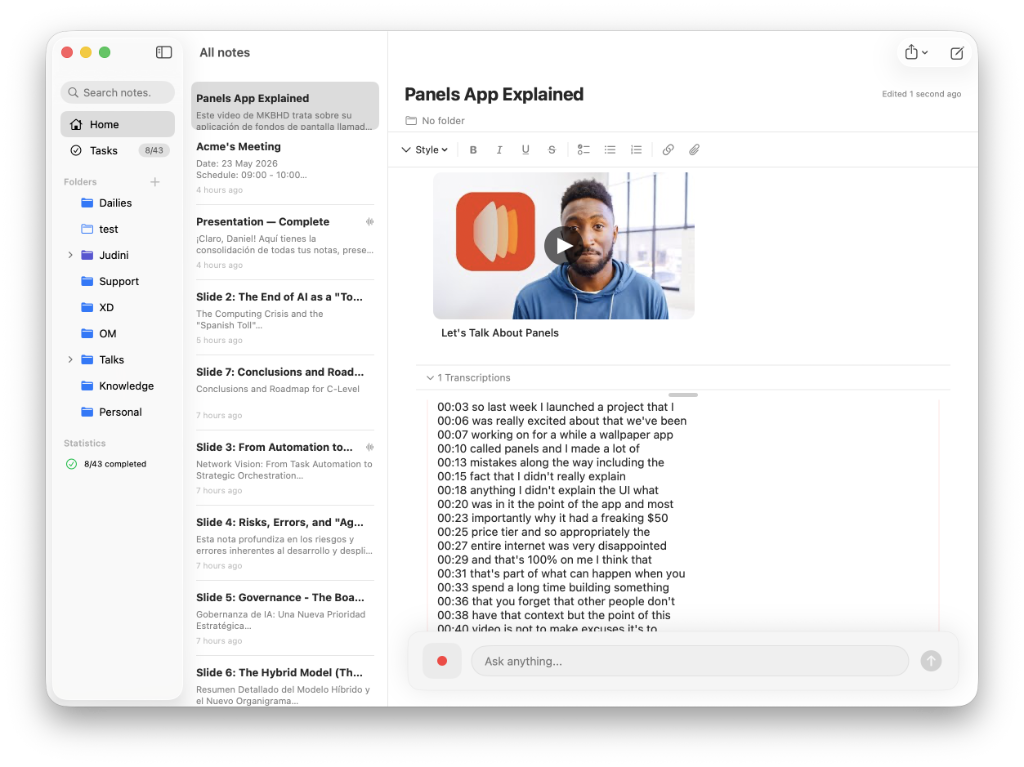
Add YouTube links to your notes. NotesXD fetches the transcript automatically and uses it as context to summarize, ask questions, or take notes with AI chat.
- Paste or drag a YouTube link into any note
- Automatic video transcript as AI context
- Ask the AI chat about what the video says
Talk to your notes,
hands-free
Hold a real-time voice conversation with your notes. Ask questions and give instructions out loud — the assistant answers by voice and can take the same actions as the chat: create notes, add tasks, organize folders. Everything you say and it replies is transcribed into your chat history.
- Natural, real-time spoken conversation
- Same actions as chat: create, edit & organize
- Voice transcribed into your chat history
Drop in files.
Ask about them.
Attach PDFs, images, and documents to any note, or import existing files. NotesXD extracts their text on your Mac and makes it available as context — so the AI chat and voice can answer questions about your invoices, screenshots, and documents. Files stay 100% local.
- Attach PDFs, images & documents to notes
- Local text & image extraction as AI context
- Import existing files — everything stays on your Mac
It knows when
you need it
NotesXD quietly monitors your system audio. When it detects a conversation, it suggests taking notes — so you never forget to capture an important meeting.
Built for Mac.
Stays on your Mac.
No browser extensions. No meeting bots. No cloud recordings. NotesXD is a native macOS app that processes everything locally. Your conversations stay private.
Start free. Go Pro when you need more.
Notes and tasks are free, forever. Pro unlocks live transcription, always-on AI chat, active listening and calendar meeting alerts. Every new install starts with a 14-day free trial of Pro — no card required. When the trial ends, you move to the free plan (without Pro features), and you can activate Pro at any time.
Always free
- Notes & rich text editor
- Task management
- Smart dashboard
- YouTube video transcription
- 100% local & private
Pro
- Real-time transcription (local)
- Always-on AI chat
- Voice conversations with your notes
- Files & attachments as AI context
- Active listening & suggestions
- Calendar meeting alerts
Try all features free for 14 days, no card required
Ready for smarter meetings
on your Mac?
Download now — transcription, AI chat, dashboard & YouTube context in one native app.
Download for Mac